
Built for Real Energy Systems
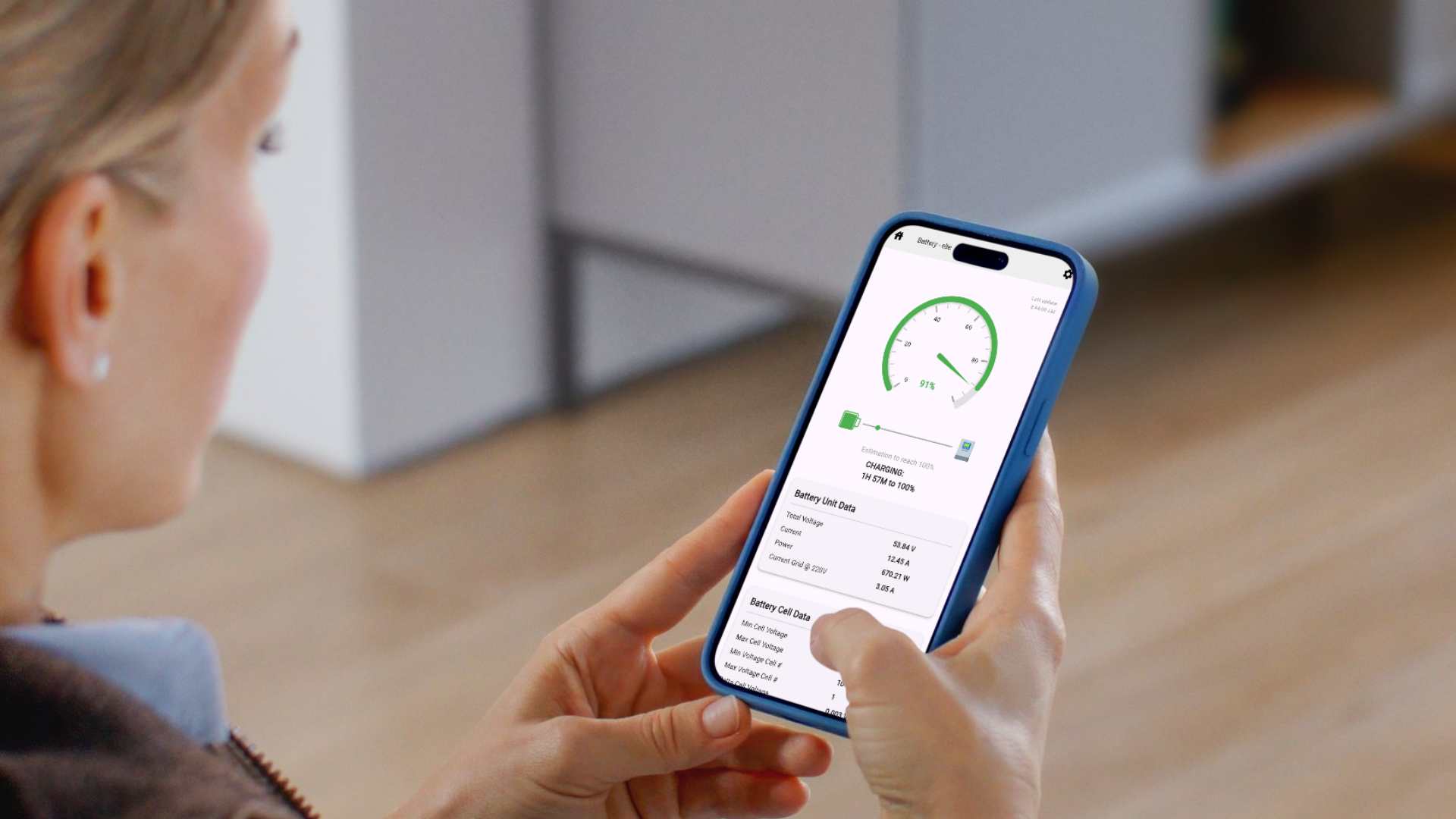
CEPOWER is a complete monitoring platform for JK-BMS–based battery systems. It is designed for users who need continuous, permanent visibility — not temporary Bluetooth scans or limited manufacturer apps.
Whether you operate a single DIY battery, install systems for clients, or manage batteries at scale, CEPOWER provides a unified way to monitor, analyze, and react in real time.
The system uses an ESP32 gateway that connects to the JK-BMS via Bluetooth and exposes the data locally or remotely over Wi-Fi, making the battery accessible anytime — not only when you stand next to it.
New Communication Options
CEPOWER now supports both UART and Bluetooth communication between the JK-BMS and the ESP32 gateway. Bluetooth is no longer mandatory.
For supported installations, UART provides a more stable direct connection and is the recommended method.
Ethernet support is coming soon.
What CEPOWER Monitors
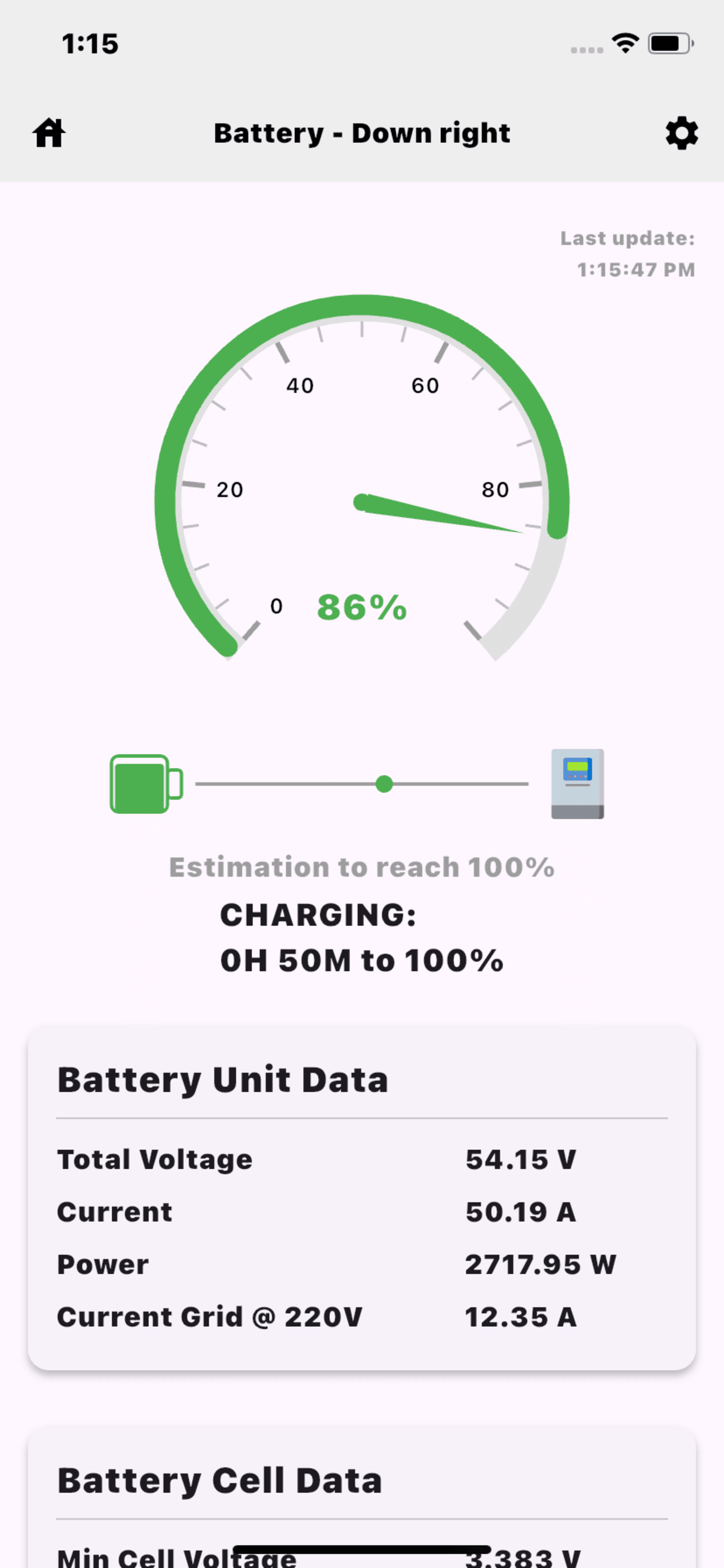
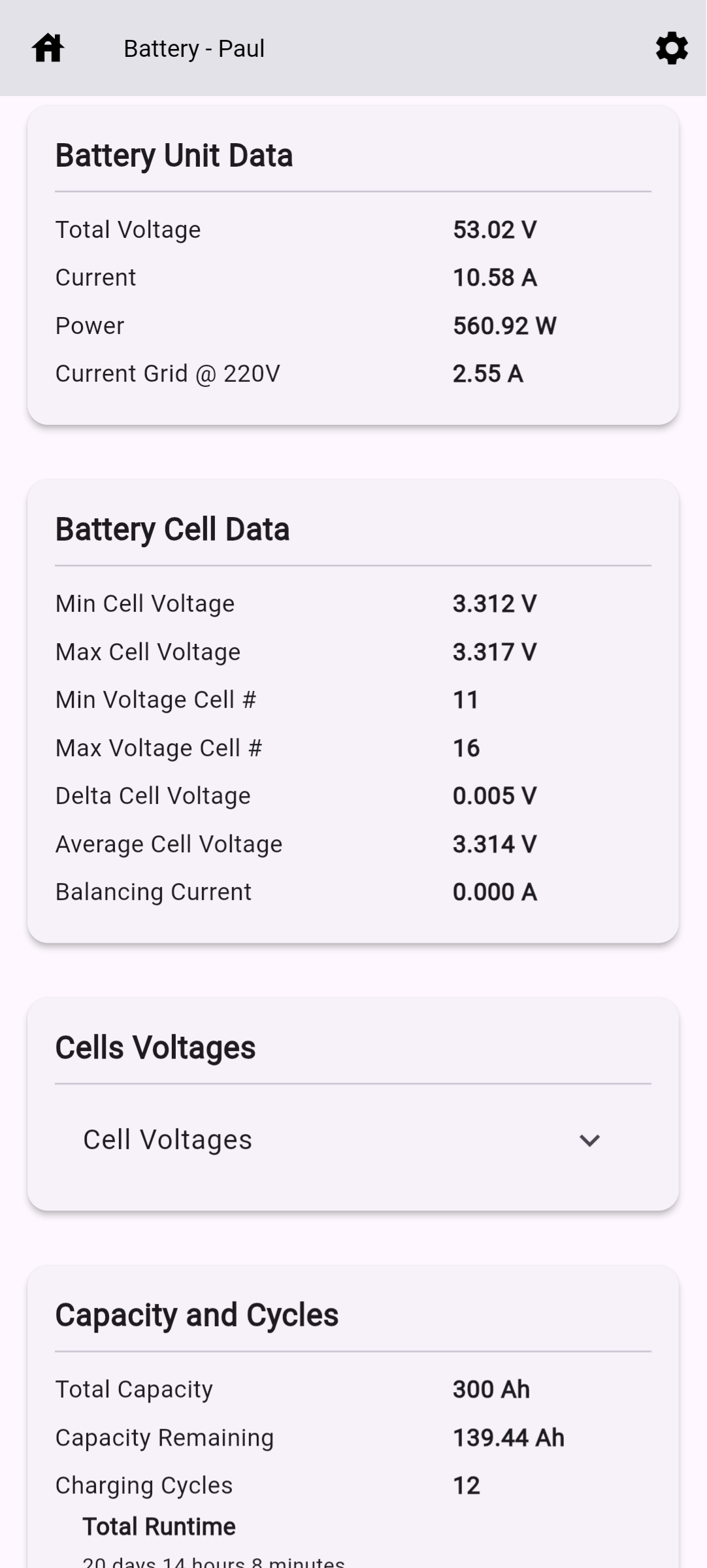
- Live battery monitoring for total voltage, current, power, state of charge (SoC), remaining capacity, cycle count, runtime, and temperatures.
- Per-cell voltage tracking with automatic min/max cell detection, voltage imbalance monitoring, and protection state visibility.
- Charge and discharge activity, live direction of energy flow, and time-to-full or time-to-empty estimation based on real operating conditions.
- Historical records with charts, zoom tools, and export for analysis and reporting.
- Multi-battery visibility with support for individual battery view or combined total system view.
Why CEPOWER Exists
Most JK-BMS setups depend on temporary Bluetooth access and manufacturer apps that stop being useful once the phone disconnects or the user leaves the battery room.
CEPOWER replaces that limitation with a dedicated monitoring gateway that keeps collecting, organizing, and presenting battery data continuously.
- No need to stay physically near the battery
- Continuous data collection at regular intervals
- Remote access from local network or internet connection
- Actionable alerts instead of manual checking
- Better visibility for DIY users, installers, and multi-site deployments
Multi-Battery & Multi-Client Ready
CEPOWER is designed for both single-battery users and professional deployments with multiple batteries, multiple sites, or multiple clients.
Batteries can be monitored individually, grouped into a combined system view, and managed without mixing access, history, or device identity.
- Single battery and multi-battery support
- Combined system visibility for larger installations
- Separate monitoring for different clients or locations
- Clear device-based structure for organized fleet management
Automation & Alerts
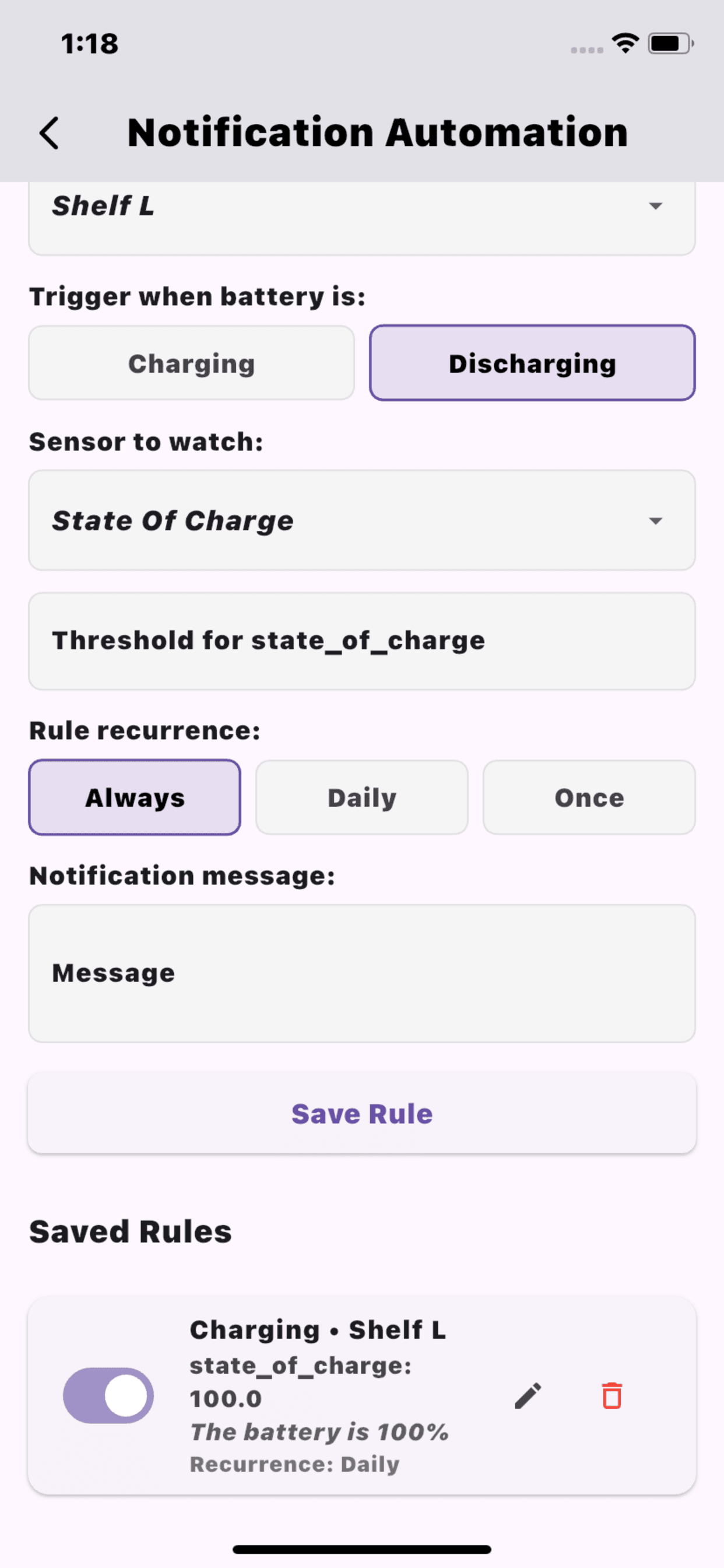
CEPOWER includes a flexible rule-based notification and automation system. Rules can be triggered by battery conditions, thresholds, and operating states.
- Low or high state of charge
- Voltage or cell imbalance
- Charge and discharge anomalies
- Temperature warnings and protection events
- One-time, daily, or continuous alerts
- Smart automation with eWeLink devices such as Sonoff
Automation rules can be used to react automatically to battery behavior instead of only sending notifications.
- Turn connected devices on or off based on battery thresholds
- Protect loads or reserve energy based on low SoC conditions
- Trigger actions for charging, discharging, or abnormal battery states
- Build simple or advanced battery-driven automation scenarios
Diagnostics & Analysis
CEPOWER goes beyond live monitoring by providing diagnostic tools and calculation pages that help users understand battery condition, performance, and long-term trends.
- State of Health diagnostics and calculation pages
- Trend analysis based on voltage, current, temperature, and imbalance history
- Cell-level health visibility for deeper battery assessment
- Historical charts and export tools for review and reporting
- Actionable battery insights for maintenance and decision-making
No Accounts. No Lock-In.
CEPOWER does not require user registration or cloud accounts. Access is based entirely on a Device ID.
This makes the system simple, secure, and suitable for private or offline-first environments.
App Screenshots
ESP32 Hardware Requirements
CEPOWER JKBMS Monitor supports communication between the JK-BMS and the ESP32 through either UART or Bluetooth. Bluetooth is no longer mandatory.
✔ UART → recommended for the most stable direct connection between JK-BMS and ESP32
✔ Bluetooth (BLE / Classic) → supported as an alternative communication method
✔ Wi-Fi → required for live monitoring, remote features, notifications, and firmware updates
✔ Ethernet → coming soon
CEPOWER does not rely on high CPU speed, large RAM, or PSRAM. All supported ESP32 variants run CEPOWER at the same performance level. Bigger memory or newer chips do not make CEPOWER faster or more accurate.
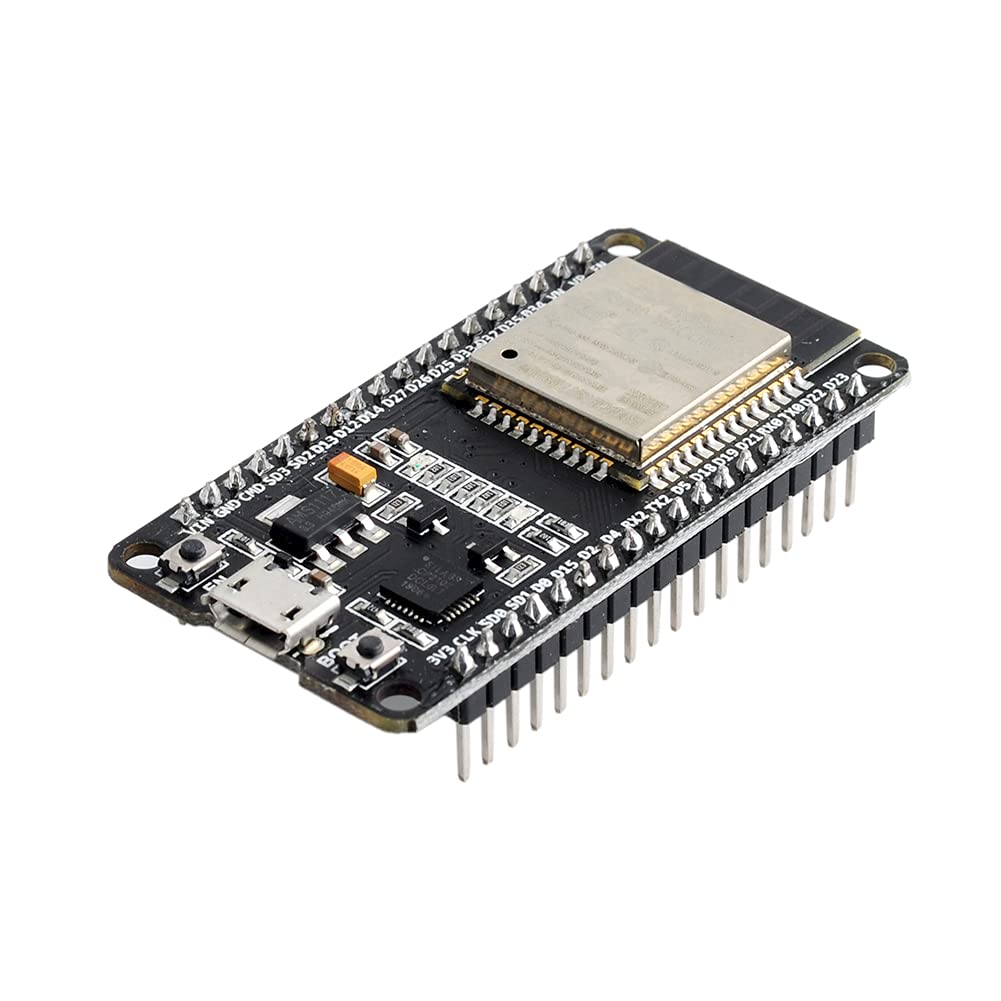
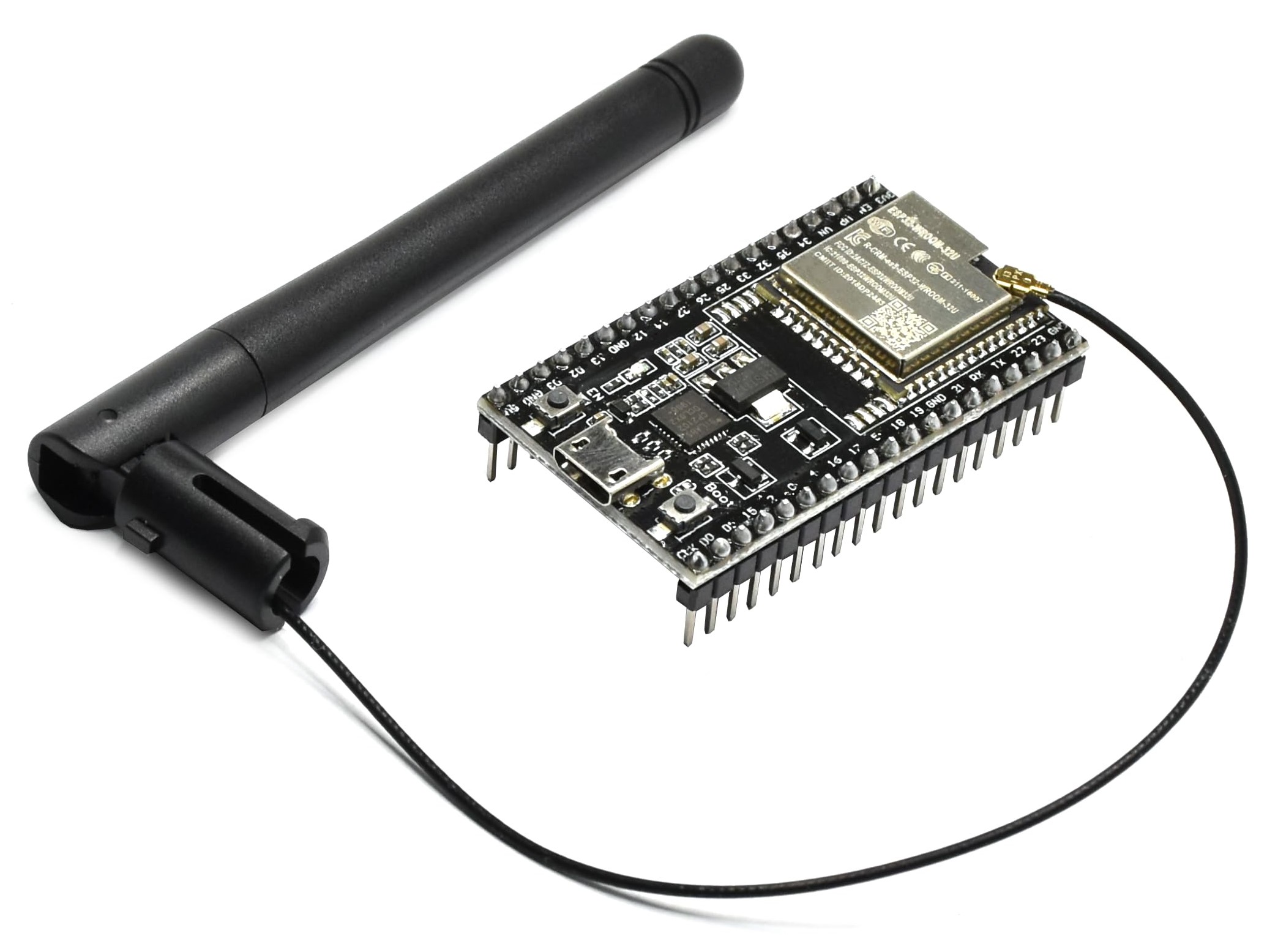
✅ ESP32 Modules That DO Work with CEPOWER
CEPOWER can communicate with the JK-BMS through UART or Bluetooth, depending on the hardware setup and firmware mode. Models marked as Tested were verified in real CEPOWER installations. Others are expected to work based on official Espressif specifications and supported connection methods.
| ESP32 Module / Board | Chip Family | Network | JK-BMS Communication | Status |
|---|---|---|---|---|
| ESP32-WROOM-32 | ESP32 (Classic) | ✅ Wi-Fi | ✅ UART + Bluetooth | Tested & Recommended |
| ESP32-WROVER-E | ESP32 (Classic) | ✅ Wi-Fi | ✅ UART + Bluetooth | Tested & Recommended |
| ESP32-DevKitC | ESP32 (Classic) | ✅ Wi-Fi | ✅ UART + Bluetooth | Works |
| ESP32-WROOM-32E / 32U | ESP32 (Classic) | ✅ Wi-Fi | ✅ UART + Bluetooth | Tested & Recommended |
| ESP32-S3-WROOM-1 / 2 | ESP32-S3 | ✅ Wi-Fi | ✅ UART + Bluetooth | Expected to work |
| ESP32-C3 (all variants) | ESP32-C3 | ✅ Wi-Fi | ✅ UART + Bluetooth | Expected to work |
| ESP32-C6-WROOM-1 | ESP32-C6 | ✅ Wi-Fi 6 | ✅ UART + Bluetooth | Expected to work |
❌ ESP32 Variants That DO NOT Work with CEPOWER
The ESP32 variants below are not compatible for the currently supported CEPOWER configurations shown here due to missing network or communication features. Compatibility depends on the selected CEPOWER communication mode and hardware design.
| ESP32 Variant | Network | JK-BMS Communication | Why it does NOT work |
|---|---|---|---|
| ESP32-S2 | ✅ Wi-Fi | ⚠️ UART only | May be usable only in specific UART-based CEPOWER builds; not part of the currently tested supported list |
| ESP8266 | ✅ Wi-Fi | ❌ Not supported | Not an ESP32 platform and not supported by CEPOWER firmware |
| ESP32-H2 | ❌ No Wi-Fi | ✅ BLE / UART potential | No supported network connection for CEPOWER operation |
| ESP32-P4 | ❌ No Wi-Fi | ⚠️ Depends on design | Does not match the currently supported CEPOWER hardware profile shown here |
| ESP32-Solo-1 | ✅ Wi-Fi | ⚠️ UART only | May be usable only in specific UART-based CEPOWER builds; not part of the currently tested supported list |
CEPOWER supports JK-BMS communication through UART or Bluetooth. For supported installations, UART is recommended for better stability. Wi-Fi is currently required for CEPOWER network features, and Ethernet support is coming soon.
Some ESP32 variants without Bluetooth may still be usable in future or in specific UART-based CEPOWER builds. The tables above reflect the currently tested and recommended CEPOWER hardware profile.
🎉 Try CEPOWER Free — No Credit Card Required
Monitor your JK-BMS battery right now — completely free. No registration. No payment. Just real battery monitoring.
✅ What's Included in Free Mode
- Real-time monitoring — voltage, current, power, SoC, cell voltages
- Local network access — monitor from any device on your Wi-Fi
- Live data updates — see your battery status instantly
- No time limits — use it forever, completely free
How Free Mode Works
In Free Mode, you connect directly to your ESP32 gateway over your local network. Your phone or computer talks to the ESP32, which talks to your JK-BMS via Bluetooth.
No cloud. No accounts. No subscriptions. Just you and your battery.
Ready to Start?
Follow our step-by-step guide to set up free monitoring in minutes.
Want More? Upgrade Anytime
When you're ready for remote access, historical data, and smart alerts, you can upgrade to the full CEPOWER platform.
- Monitor from anywhere in the world
- 15-day history with charts and export
- Automatic alerts for voltage, SoC, and imbalance
- Automation with eWeLink devices like Sonoff
- State of Health diagnostics and calculation pages
- Access to support and assistance
Questions?
Do I need to pay later?
No. Free mode works forever. You only pay if you want remote access and history.
What hardware do I need?
Any ESP32 module with Wi-Fi and Bluetooth. See our Requirements page.
Is my data private?
Yes. In Free Mode, data stays on your local network. Nothing goes to the cloud.
🚀 Free Mode Setup Guide
Follow these steps to start monitoring your JK-BMS battery for free. Check off each step as you complete it!
📱 Tools Required: Computer with USB port, Android phone (for MAC address scanning), Wi-Fi router access
Step 1: Get ESP32 Hardware
Purchase one ESP32 module for each battery pack. Any basic ESP32 with Wi-Fi and Bluetooth will work.
Step 2: Download Firmware File
Download the latest CEPOWER firmware that will be installed on your ESP32.
📥 Download Latest FirmwareStep 3: Download & Install Uploader Tool
This tool will flash the firmware to your ESP32 and configure it.
🪟 Download Uploader (.exe)Step 4: Download CEPOWER Mobile App
Install the monitoring app on your smartphone.

Step 5: Download Windows Monitor (Optional)
For big-screen monitoring or if you have multiple batteries. You can skip this if you only want mobile monitoring.
🖥️ Download Windows MonitorStep 6: Find Your JK-BMS MAC Address
Each JK-BMS has a unique MAC address. You need to find it using an Android phone.
Step 7: Connect ESP32 & Install Drivers
Connect your ESP32 to your computer and install necessary drivers.
Step 8: Upload Firmware to ESP32
Flash the CEPOWER firmware onto your ESP32 module.
Step 9: Configure MAC Address (CRITICAL)
Tell the ESP32 which JK-BMS to connect to. This step must be done with 100% accuracy.
Step 10: Send Wi-Fi Credentials to ESP32
Configure your Wi-Fi network on the ESP32 so it can connect to the internet.
Step 11: Set Fixed IP & Remote Access (Optional)
For stable local monitoring, set a fixed IP. For remote access from outside your home, configure DDNS and port forwarding.
Final Step: Configure CEPOWER App
Add your battery to the CEPOWER mobile or PC app and start monitoring!
Need Help?
If you encounter any issues during setup, we're here to help!
📧 Email: support@cepower.org
💾 Save the log file from the uploader screen and send it to us for faster support
💎 CEPOWER Pricing
Choose the plan that fits your needs — from free local monitoring to enterprise-scale deployments.
For Individual Users
Free
$0
Forever • Direct Connection
- ✅ Auto-updates every 10s
- ✅ Real-time monitoring
- ✅ Live cell voltages & SoC
- ✅ Unlimited batteries
- ✅ Local network access
- ✅ Direct ESP32 connection
- ✅ Automatic firmware updates
- ❌ No remote access
- ❌ No history
- ❌ No alert notifications
- ❌ No automation
Cloud
Contact Us
Flexible plans per device / year
- ✅ Everything in Free, plus:
- ✅ Remote access anywhere
- ✅ Stable connection, no drops
- ✅ 15-day history with charts and export
- ✅ Automatic alert notifications
- ✅ Automation with eWeLink devices like Sonoff
- ✅ State of Health diagnostics and calculation pages
- ✅ Combine multiple batteries
- ✅ Accurate battery totals
- ✅ Data export (CSV)
- ✅ Access to support and assistance
For Business & Professional Use
Installer
10+ Devices
Volume pricing
- ✅ Everything in Cloud, plus:
- ✅ Personal dashboard
- ✅ Username & password login
- ✅ Monitor all installations
- ✅ Easy install checklist
- ✅ Mobile deployment tools
- ✅ Direct battery access
- ✅ Client system overview
Business
Fleet Management
Custom pricing
- ✅ Everything in Installer, plus:
- ✅ Add & track new batteries
- ✅ Battery lifecycle tracking
- ✅ Movement & location logs
- ✅ Transaction history
- ✅ Create & manage installers
- ✅ Support team authorization
- ✅ Complete state logs
- ✅ Like CARFAX for batteries
Enterprise
White-Label
Dedicated infrastructure
- ✅ Everything in Business, plus:
- ✅ Your own branded apps
- ✅ Custom app logo & name
- ✅ Dedicated server platform
- ✅ Private infrastructure
- ✅ Custom API integration
- ✅ Enterprise SLA
- ✅ Priority support
- ✅ Custom features
Questions About Pricing?
Volume discounts available for installers and battery companies.
We offer flexible plans tailored to your business needs.
📧 Contact us at support@cepower.org
📥 Downloads
Get all the tools you need to monitor your JK-BMS batteries with CEPOWER.
📱 Mobile Apps (Android & iOS)
Monitor your batteries anywhere with live data, history, alerts, and firmware updates.
Direct APK: cepowerapp.apk
🔌 ESP32 Firmware (FREE)
Free firmware for DIY users and direct ESP32 connections.
Required to run CEPOWER on your JK-BMS system.
Version: v1.3.6
Use this if you are not using a paid device ID.
🪟 Windows Monitor
Desktop monitoring for control rooms and workstations.
Download Installer (.exe) Download ZIP⚙️ ESP32 Firmware Uploader
Required for first-time setup, firmware updates, and Wi-Fi configuration.
Download Installer (.exe) Download ZIP✔ Monitor only → Mobile App or Windows Monitor
✔ New installation → Firmware Uploader + App
✔ Installer / Technician → All tools
DIY Battery Monitoring — Start Free, Upgrade When Ready
CEPOWER is built for DIY battery enthusiasts who want complete visibility and peace of mind. Start with free local monitoring, then unlock professional features for less than the cost of a sandwich per year.
✅ Free Mode
Perfect for testing and local monitoring
- ✅ Real-time monitoring
- ✅ Local network access
- ✅ Auto-updates every 10s
- ✅ Unlimited batteries
- ✅ Automatic firmware updates
- ❌ No remote access
- ❌ No history
- ❌ No alert notifications
- ❌ No automation
🚀 Cloud Mode
Less than a sandwich per year, per battery
- ✅ Everything in Free, plus:
- ✅ Rock-solid connection
- ✅ Monitor from anywhere
- ✅ 15-day history with charts and export
- ✅ Automatic alert notifications
- ✅ Automation with eWeLink devices like Sonoff
- ✅ State of Health diagnostics and calculation pages
- ✅ Combine multiple batteries
- ✅ Access to support and assistance
Why Cloud Mode Changes Everything
🔔 Alerts & Automation That Save You Money
Imagine receiving alert notifications or triggering automation actions before something goes wrong. No more manual battery checking, delayed reactions, or wondering what happened overnight.
Real-World Alert & Automation Examples:
- "Battery reached 100%" — Receive an alert notification or trigger an automation action
- "Battery dropped to 15%" — Protect loads or reserve energy before you lose power
- "Cell voltage imbalance detected" — Catch problems early before they damage your battery
- "Temperature dropped below 10°C" — Protect your battery in winter and avoid unsafe charging conditions
- "High current detected" — Know when something is drawing unexpected power
- "Low SoC detected" — Turn a connected eWeLink or Sonoff device on or off automatically
💡 Real savings: One alert notification about a failing cell could save you hundreds of dollars in battery replacement costs. One automation rule or temperature warning could help prevent permanent damage and unnecessary energy loss.
📊 15-Day History — See What Really Happened
Ever wake up to a dead battery and wonder "What happened during the night?"
Or notice something unusual and want charts, export, and deeper diagnostics to understand whether the
problem is new or part of a longer trend?
What You Can Discover:
- Overnight behavior — See exactly what your battery did while you slept
- Power consumption patterns — Zoom in on specific periods and understand what changed
- Cell balance trends — Track which cells are drifting and catch problems before they become serious
- Temperature patterns — Understand how weather and usage affect battery performance
- Charge/discharge cycles — See your actual usage patterns over time
- State of Health diagnostics — Review battery condition using calculation pages and deeper analysis
- Exportable history — Use charts and export tools for reporting, review, and troubleshooting
🌐 Rock-Solid Connection vs. Free Mode
❌ Free Mode Connection
- ⚠️ Local network only
- ⚠️ Requires manual network setup
- ⚠️ No remote access
- ⚠️ No history or export
- ⚠️ No alert notifications or automation
✅ Cloud Mode Connection
- ✅ Stable remote access from anywhere
- ✅ 15-day history with charts and export
- ✅ Automatic alert notifications
- ✅ Automation with eWeLink devices like Sonoff
- ✅ State of Health diagnostics and calculation pages
- ✅ Accurate battery combining
Cloud Mode adds much more than remote access. It gives you stable monitoring, historical charts, export tools, alert notifications, automation, diagnostics, and a more complete view of your battery system wherever you are.
💰 Let's Talk About Cost
You spent hundreds or thousands of dollars on your battery system. You want it to last and perform well.
Cloud monitoring costs less than a sandwich per year, per battery.
What you get in return:
- Peace of mind — Know your battery is monitored even when you're away
- Early problem detection — Use alert notifications to react before issues become expensive
- Better battery protection — Use automation and diagnostics to reduce stress and improve care
- Time saved — No more manual checking or guesswork
- Better decisions — Use charts, export, and diagnostics to understand real battery behavior
Try Cloud Mode Free for 60 Days
Experience the difference. No credit card required.
🚀 Start Your Free Trial NowSetup takes 10 minutes. Cancel anytime. No strings attached.
CEPOWER for Installers & Technicians
Professional battery monitoring built for installers, integrators, and energy service providers.
Built on DIY Power — Designed for Business
CEPOWER for installers includes everything from the DIY platform, plus professional tools to manage, monitor, and support multiple client systems efficiently.
Centralized Client Dashboard
✔ All client battery systems in one secure dashboard.
✔ Instant overview of online, offline, and alert states.
Example: Manage 30+ homes without visiting sites.
Remote Diagnostics
✔ View live & historical battery data remotely.
✔ Detect issues before customers notice them.
Example: Identify cell imbalance before failure.
Client Isolation & Privacy
✔ Each client sees only their own batteries.
✔ Installer retains global visibility.
Ownership & Handover
✔ Install, configure, then hand over ownership.
✔ Optional installer supervision retained.
Why Installers Choose CEPOWER
- Reduce emergency service calls
- Fix issues remotely before site visits
- Professional reporting & analytics
- Clear separation between clients
- Scales from 10 to thousands of batteries
Installer accounts start with a minimum purchase of 10 Device IDs.
This unlocks professional dashboards, multi-client management, and priority business features.
Grow Your Installation Business with Confidence
Less troubleshooting. Fewer site visits. Happier clients.
Contact Us to Become an Installer PartnerBattery Companies & Energy Brands
Enterprise-grade battery monitoring across the full product lifecycle — from deployment to warranty and end-of-life.
Full Lifecycle Visibility — At Scale
CEPOWER enables battery manufacturers and energy brands to monitor, analyze, and support battery fleets deployed across thousands of locations, installers, and customers — all from a single unified platform.
Lifecycle Tracking
✔ Track batteries from factory deployment to end-of-life.
✔ Maintain full historical records per device.
Example: Know exactly when, where, and how a battery has been operating since first activation.
Warranty Monitoring
✔ Monitor batteries under warranty conditions.
✔ Detect misuse, abnormal stress, or early degradation.
Example: Validate warranty claims using real operational data instead of assumptions.
Location Awareness
✔ View last known operational location.
✔ Detect unauthorized relocation of batteries.
Example: Identify batteries moved between sites or regions without authorization.
Installer & Support Assignment
✔ Assign installers and support teams per device.
✔ Clear responsibility and escalation paths.
Example: Regional installers see only the devices they manage.
Enterprise Intelligence & Fleet Control
Usage Analytics
✔ Analyze real-world battery usage patterns.
✔ Improve future product designs.
Fleet-Wide Diagnostics
✔ Detect trends across thousands of batteries.
✔ Identify systemic issues early.
Enterprise Reporting
✔ Export reports for engineering, warranty, and management.
✔ Data-driven decisions at scale.
CEPOWER Enterprise is built for battery manufacturers, energy brands, and large operators managing hundreds to millions of deployed batteries, with strict data isolation, auditability, and long-term reliability.
Enterprise Battery Intelligence Starts Here
Reduce warranty costs. Improve product reliability. Gain real-world insight across your entire battery fleet.
Contact Us for Enterprise SolutionsEnterprise & Turnkey Deployments
A fully branded, end-to-end battery monitoring platform — built and operated for your company.
Your Own Platform. Your Brand. Your Infrastructure.
CEPOWER Enterprise is a full turnkey solution for battery manufacturers, energy brands, utilities, and large operators who want their own monitoring platform — under their name, logo, and business model.
Dedicated Infrastructure
✔ Private servers or cloud infrastructure.
✔ Fully isolated environment per enterprise.
Example: A dedicated backend running exclusively for your brand and customers.
White-Label Mobile & Web Applications
✔ Custom mobile apps with your logo and colors.
✔ Branded web dashboards for customers and staff.
Example: Your own app on Google Play & App Store — powered by CEPOWER.
Custom Dashboards & Workflows
✔ Role-based dashboards (customers, installers, support).
✔ Workflows adapted to your operations.
Example: Different views for sales, support, and engineering teams.
API & System Integration
✔ Secure APIs for data access.
✔ Integration with ERP, CRM, billing, and analytics systems.
Example: Battery data synchronized with your internal platforms.
Enterprise-Grade Operations & Support
Scalable Architecture
✔ Designed for thousands to millions of batteries.
✔ High-availability and long-term reliability.
Enterprise SLA & Support
✔ Defined uptime and response guarantees.
✔ Priority support and direct technical contact.
Security & Data Ownership
✔ Full data isolation per enterprise.
✔ You own your data and customer relationships.
CEPOWER Enterprise delivers a complete platform — infrastructure, backend, dashboards, and branded applications — deployed and operated as a ready-to-use system tailored specifically to your company.
Build Your Branded Battery Platform
From infrastructure to applications — we deliver the full solution.
Contact Us for Enterprise Solutions